# The Execute Python Script Node
## The Execute Python Script Node
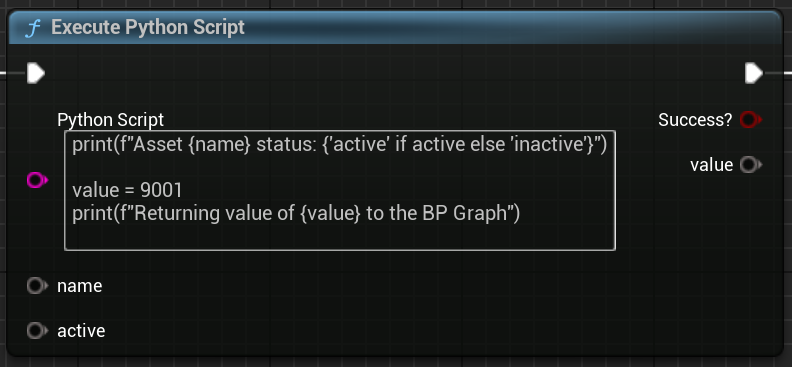
For general use, especially if releasing something to other users, it is recommended to use the Epic-provided Execute Python Script node. This is the most robust option, allowing us to run Python scripts and capture their output in the Blueprint Graph:
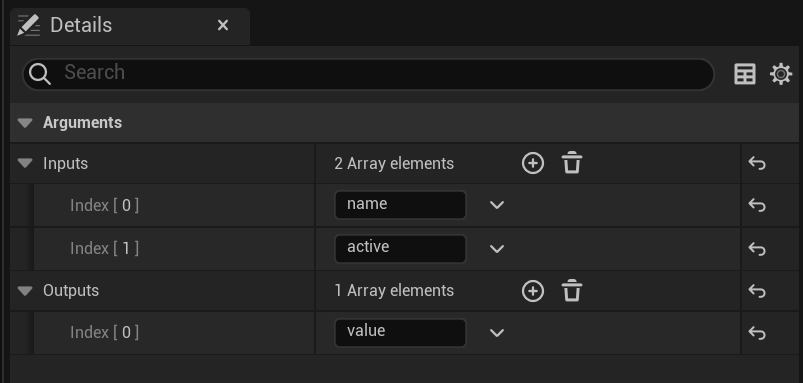
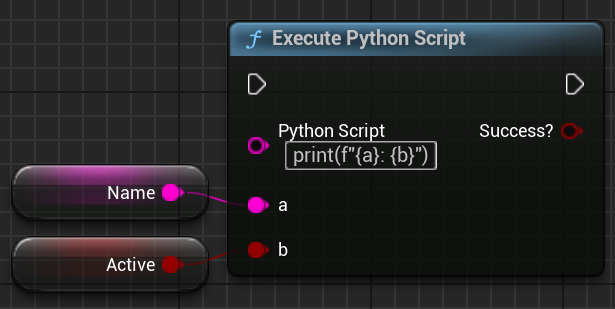
The advantage of this node is that we can declare its inputs and outputs in the Details panel, allowing us to pass wildcard data between Blueprints and Python:
***
## Inputs and Outputs
### The Success? bool return (UE5.5+)
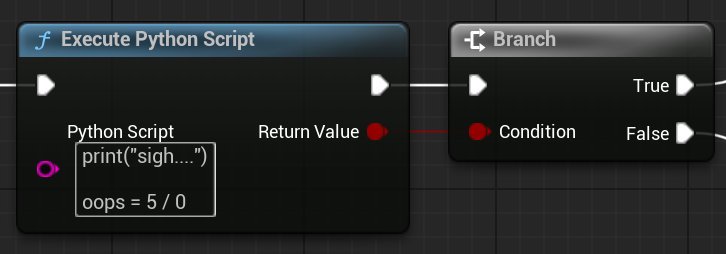
The BP Graph does not track Python errors on its own, if any errors occur in our Python script the BP Graph will just continue on to the next node. The `Success?` default output allows us to abort an is a default return on the node, if any Python errors occur it will return `False`, allowing the opportunity to abort if needed:
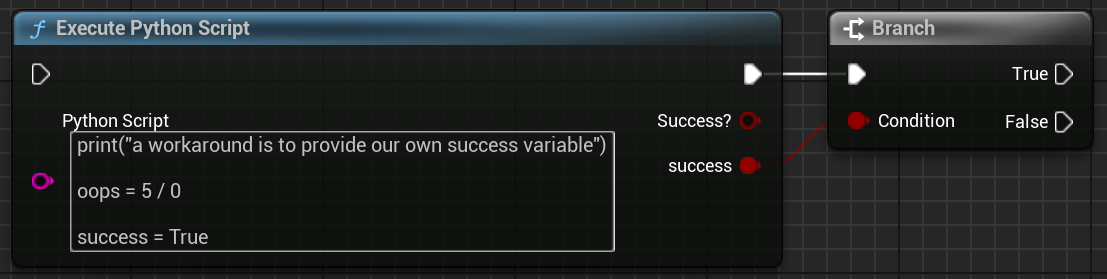
**Note:** This feature was fixed in **5.5**, it does not appear to work in 5.2-5.4 (tested December 2024)\
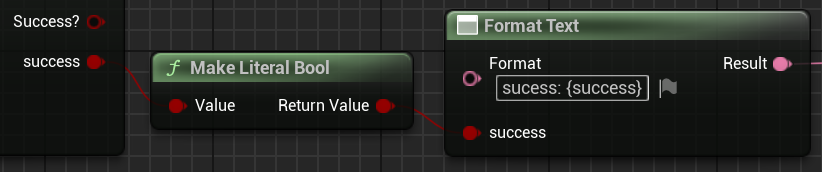
A workaround for affected Unreal versions is to provide our own `success` variable:
### Custom Inputs and Outputs
Inputs and Outputs are added as wildcards by default on the node (colored grey). The BP Node relies on the Graph Pin connections to determine the variable type of each Input/Output.
For `Inputs` added in the Details Panel we will need to connect a Blueprint Graph Pin to provide their starting value + data type. Inputs are automatically initialized in the Python and are ready to use right away:
For `Outputs` added in the Details Panel we also need to connect a Blueprint Graph Pin, this tells the Execute Python Script what data type to use for each output:
***
## Advantages
The main advantage of this method is its reliability, as long as the Python code inside is valid there shouldn't be a problem. This is the preferred method to run Python code from a Blueprint.
## Disadvantages
A cautionary disadvantage of this method is code management, especially for larger productions/pipelines. It can be tedious to keep track of and update every instance of these nodes across multiple blueprints.
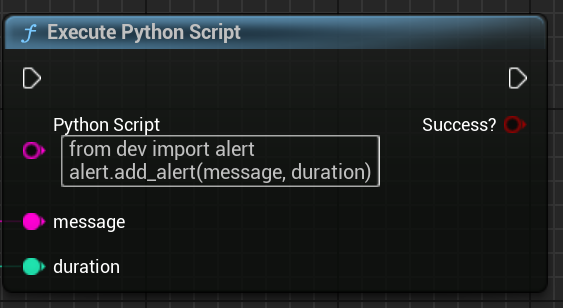
One recommendation to help reduce the management burden is to keep the bulk of your code in external Python modules and just have the Python Script node import & call functions:
A minor inconvenience is that the Inputs and Outputs are all wildcards relying on Pin connections to inform them of their data types. In some cases you may find yourself adding arbitrary nodes or extra variables just to declare the type:
---
# Agent Instructions: Querying This Documentation
If you need additional information that is not directly available in this page, you can query the documentation dynamically by asking a question.
Perform an HTTP GET request on the current page URL with the `ask` query parameter:
```
GET https://bkortbus.gitbook.io/unreal-python-recipe-book/calling-python-from-blueprint/the-execute-python-script-node.md?ask=
```
The question should be specific, self-contained, and written in natural language.
The response will contain a direct answer to the question and relevant excerpts and sources from the documentation.
Use this mechanism when the answer is not explicitly present in the current page, you need clarification or additional context, or you want to retrieve related documentation sections.